

Let's do it together!
Step 1: Build your promo
Create your promo as you normally would and click New Push to lock it. .
Step 2: Access ProLinks
Click the ProLinks tile to proceed with link generation.
Step 3: Add user details
Input the user's name and their affiliation to generate a unique link.
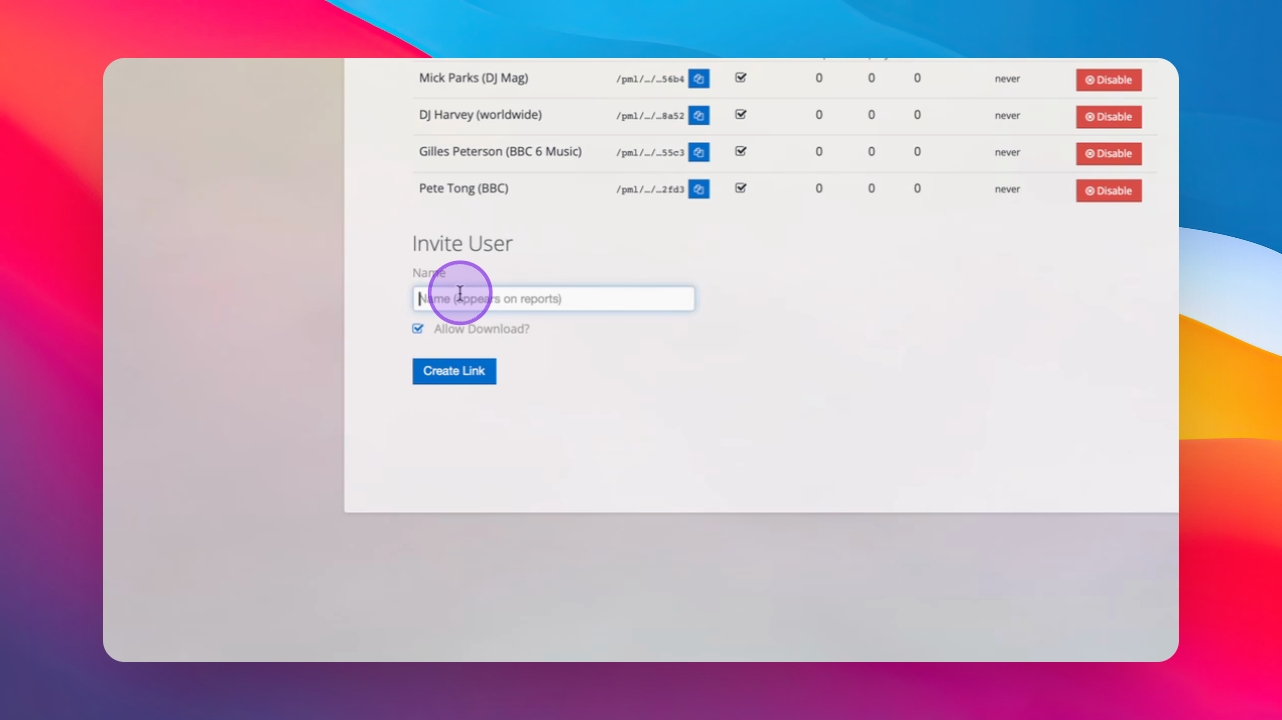
Step 4: Copy the link
Copy the generated link for sharing.
Step 5: Share the link
Paste the link into WhatsApp, email, or any messaging app to share it.
Step 6: Set link options
Decide if the link should be stream-only or include download options.
Step 7: Track engagement
Monitor user engagement, including opens, plays, and downloads in real-time.
Step 8: Revoke access
You can revoke access at any time using the disable button.
Step 9: Combine data
ProLink performance integrates with your campaign data and is displayed in Inflyte reports.
Step 10: Benefits of ProLink
Use ProLink for pre-release press and radio outreach and any user that does not have an Inflyte account.