

Overview
Inflyte ProLink is the premium way to share your promo links securely with industry professionals, even if they are even if they are not already part of your Inflyte audience.
It replaces the older Media Links feature with an upgraded experience that includes:
Secure, shareable streaming and download options
Unique, personalised links with recipient attribution
Access protection and expiry controls
Real-time engagement insights
Reports integration
Access Requests from non-subscribed users
Whether you’re sending a private link to a hard to reach tastemaker, radio producer, or journalist, ProLink lets you present your content beautifully — with the control and analytics you expect from Inflyte.
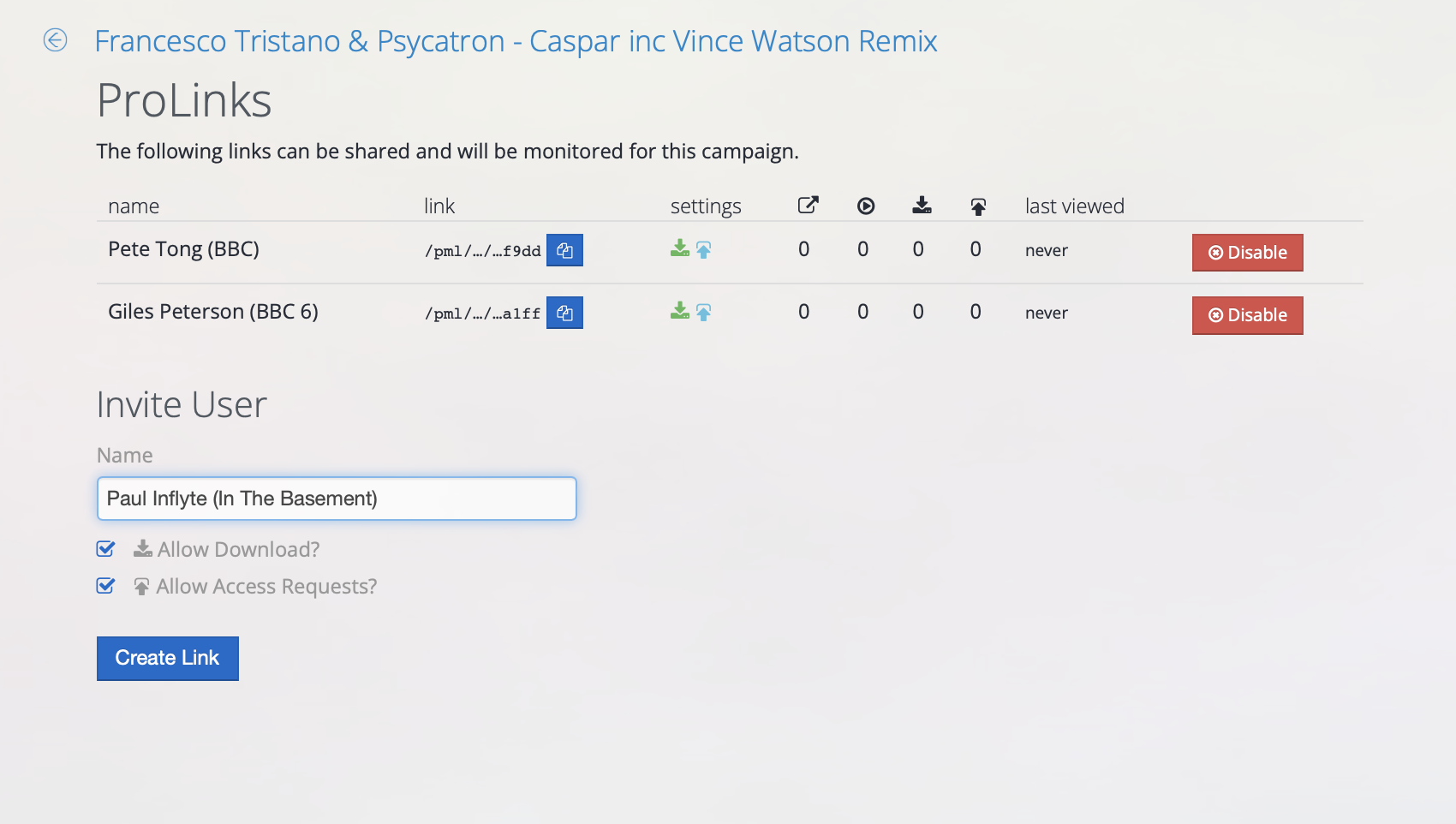
What ProLink does
ProLink lets you share a single, trackable link that brings together:
High-quality streaming for audio files
Download access (if enabled) of wav/aiff/mp3
Artwork, metadata, and credits automatically displayed
Custom branding and artwork previews when shared on WhatsApp, Apple Mail, or social media messaging platforms.
When someone receives your ProLink, they see a clean, mobile-friendly page branded to your release or campaign — not a generic file-host or drive folder.
(Compatible with WhatsApp, Messenger, and Apple iMessage sharing previews.)
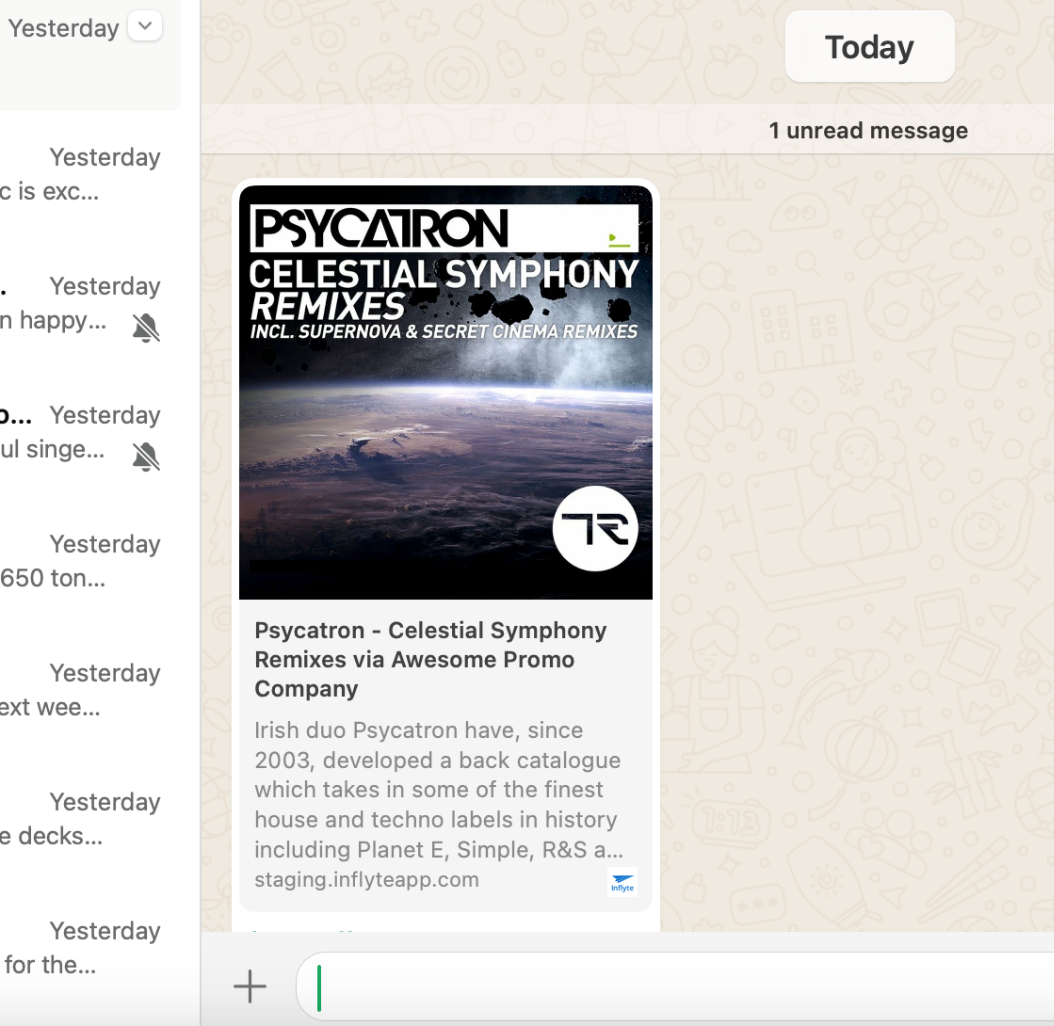
How it works
Create a promo on your Inflyte dashboard as normal.
Click on ProLinks tile to create a new link
Enter the recipients name
Choose options such as:
Stream-only or downloadable access
Share your link by email, WhatsApp, or any messaging platform.
Track engagement — view counts, streams, and downloads update in real time.
Links can be revoked or disabled at any time
All of this happens inside the Inflyte platform, ensuring consistent playback, data protection, and a professional user experience.
Allowing Tastemakers To Request Access
ProLinks can also help you grow your promo network by giving DJs, radio hosts and tastemakers who discover your music an easy way to request future promos.
When creating a ProLink, simply enable Allow Access Requests.
When enabled:
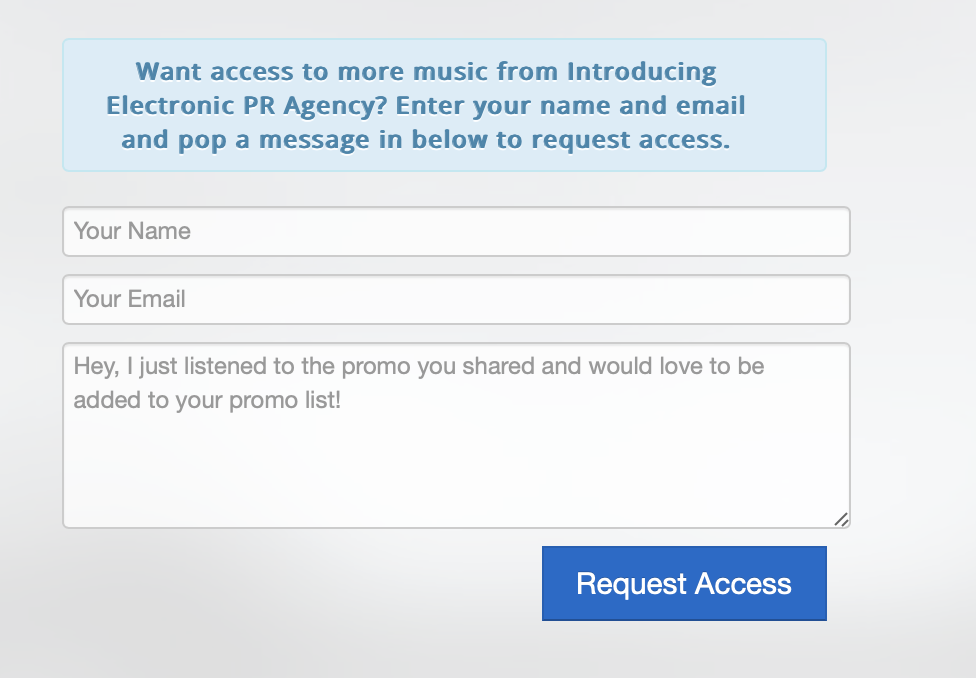
Tastemakers can request access directly from your ProLink
Existing Inflyte users can send a request instantly
New tastemakers can create a free Inflyte account
Every request requires your approval before being added to your contacts
You can also enable Access Requests on a single ProLink and share it with multiple contacts. However, individual attribution won’t be available, so only share the link with trusted contacts—never post it publicly online.
You remain fully in control of who receives your music.
Managing Access Requests
When someone requests access, you’ll receive an email and a notification inside Inflyte under the Label Management menu.
.
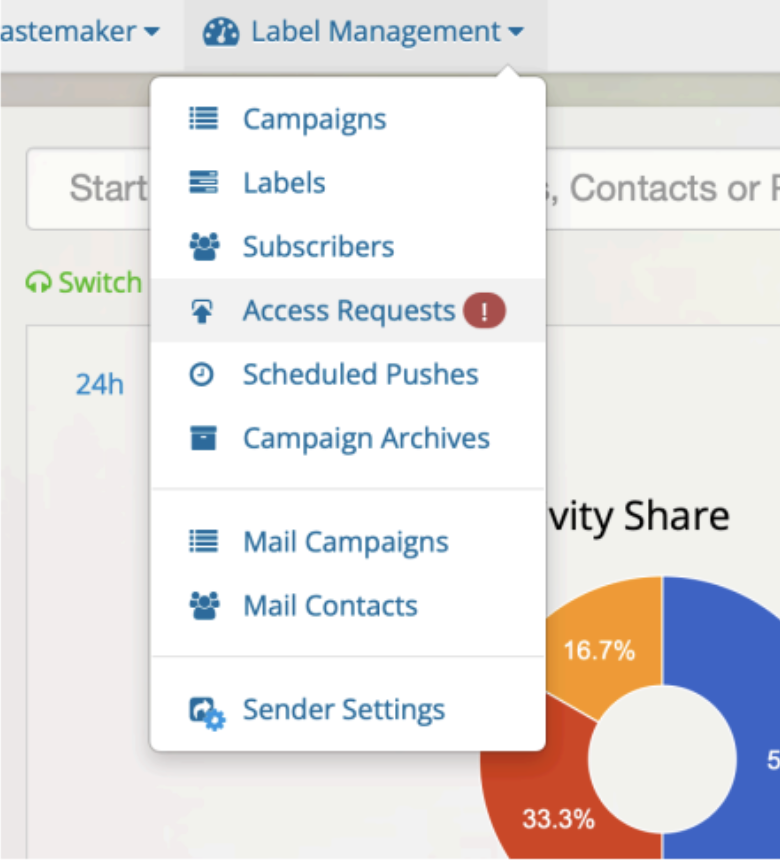
You can review their details, approve or reject the request, and once approved they’ll be added to your contacts.
From there you can:
update tags and categories
manage their profile details
send existing promos
include them in future campaigns
Access Requests help turn interest in your music into lasting promo relationships.
Every request is permission-based and approved by you, helping you build a more engaged, relevant audience while keeping full control over who receives your promos.
Why use ProLink
Keep everything in one place — from promo activity to reports and analytics.
Present your creative work in a trusted, branded environment
Keep control over who can access or download your media
Gain insight into how your content is being viewed and engaged with
Protect unreleased material with expiry and anti-share protections
Simplify collaboration with artists, labels, tastemakers and PR partners
View ProLink performance directly within your Inflyte Reports — right alongside your campaign data.
Example use cases
Send pre-release campaign links to individual press or radio contacts with full control
Share campaign links with contacts who may not have an Inflyte account via WhatsApp or Messenger
Deliver promo packs or press kits that look polished and on-brand
Grow your promo network by allowing interested DJs, radio hosts and tastemakers to request future releases
Security and responsibility
You remain responsible for where you share your ProLinks. Inflyte provides the tools to manage access, permissions and engagement, but you control who receives your links and who is approved for future promos.
You are responsible for who you share your ProLinks with. Inflyte cannot be held responsible for unauthorised or unintended access resulting from recipients sharing links.