

Inflyte offers a digest notification option, that can bundle any number of campaigns into a single email notification.
Instead of sending individual emails for every campaign you promote, you can send one email, with many campaigns.
This option is useful for clients who promote lots of releases on a weekly or monthly basis.
1. Create your campaign in the usual way
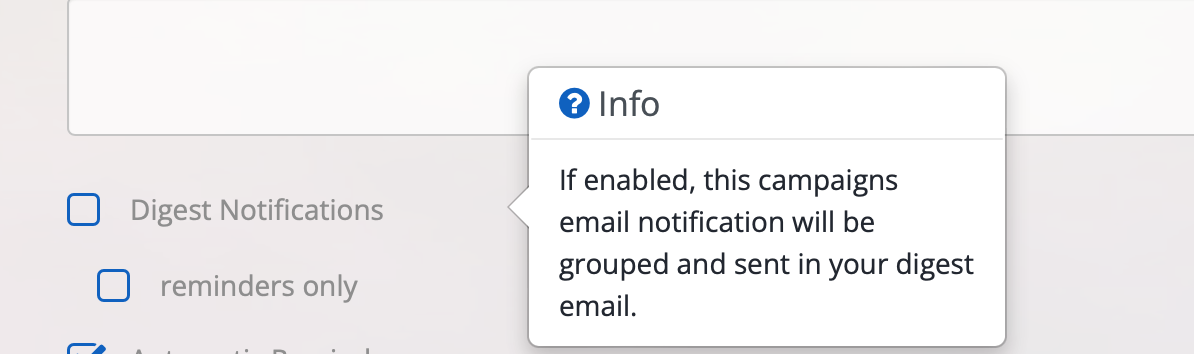
2. Select the option Digest Notifications before creating the campaign (located at bottom of the page)
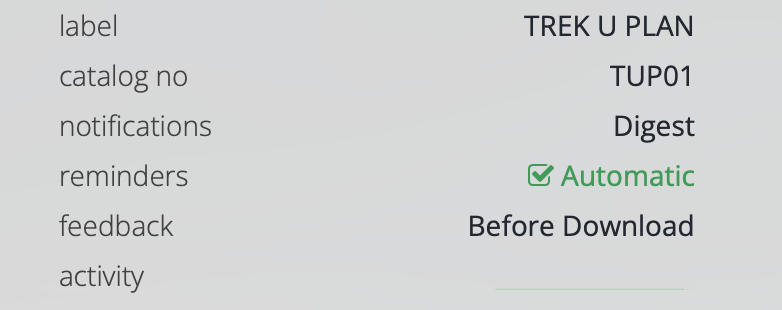
3. You will see that campaign summary information update to reflect that this promo has Digest enabled
"Notifications: Digest"
4. Your dashboard will also display the number of notifications that are ready to send. When you have created all the campaigns you wish to add to the digest, simply select Review & Send. You can then send or schedule your digest. Promos will be shared to recipients dashboards once promos are added to the digest, but no email will be sent until Review & Send is clicked.

Note: To enable this option on your account - please contact support.