

Inflyte supports Custom Report Templates, making it easier and faster for clients to generate and share feedback reports in a consistent and efficient format.
This feature allows you to create, save, and reuse multiple reporting configurations—so you no longer need to manually adjust settings each time.
How It Works
Choose or Create a Template
Navigate to Sender Settings
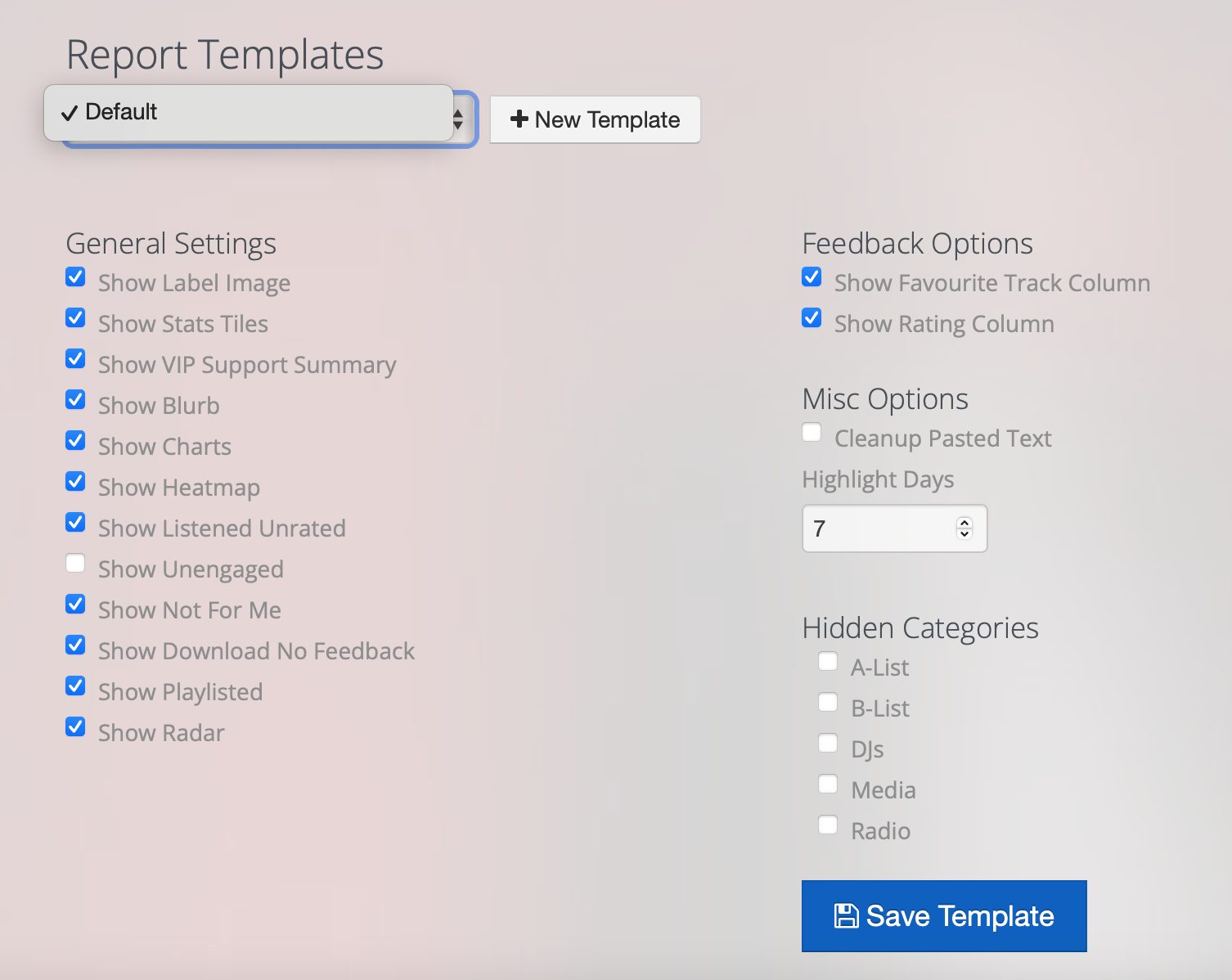
Use the dropdown to select an existing template (e.g., “Default”)
Click + New Template to create a new one from scratch
Select Your Preferred Settings
Choose what to include in your report across several configurable sections:
General Settings (e.g., Label Image, Stats Tiles, VIP Summary)
Feedback Options (e.g., Favourite Track, Rating)
Misc Options (e.g., Highlight Days)
Hidden Categories (e.g., A-List, DJs, Radio)
Click "Save Template"
Your custom configuration will be saved and available in the dropdown list for future reports.
Example Use Cases
Label-Specific Templates
A label may want to show Charts, Heatmap, Radar, and hide "Not For Me" to focus on positive engagement.
Marketing/PR Reports
For public sharing: enable Label Image, VIP Summary, Charts, Playlist, and Favourite Track.
Hide "Unengaged" and "Download No Feedback" to avoid showing low interaction.
A&R/Internal Review
Enable everything, including "Unengaged", "Listened Unrated", and "Download No Feedback", for a complete picture of promo reach and passive engagement.
Airplay-Focused Reports
Enable Radar, VIP Summary, Show Playlisted, and set Highlight Days = 7 to spotlight recent traction.
Tips
You can create multiple templates—one for internal team use, one for artist updates, and one for external PR purposes.
Use template names that clearly indicate their audience or function (e.g., “PR Report – Positive Only”, “Artist Summary – UK DJs”).