
To assign a tags or tags to any list automatically import, please follow this guide.
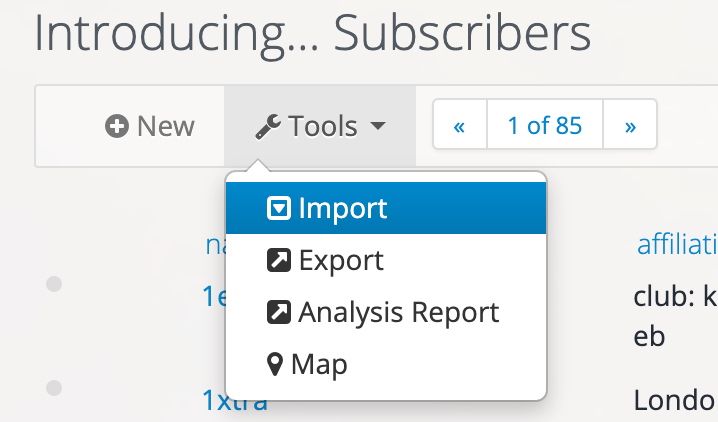
1. Go to Tools > Import
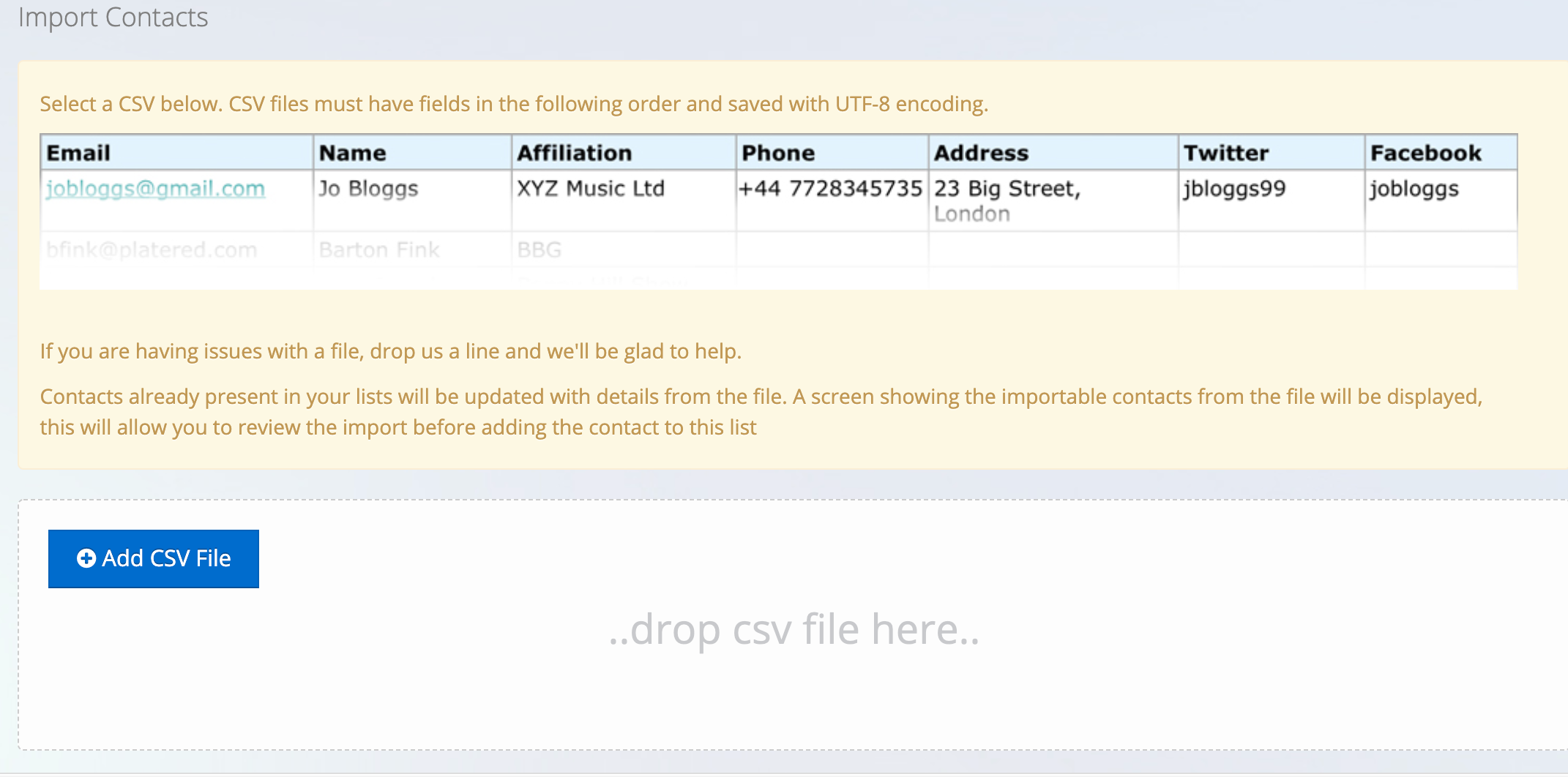
2. Add your CSV file:
3. Select which tags to assign to the list (use + to create a new tag)

4. Click Import Selected Contacts

How Can We Help you Today?
Ask Inflyte A Question....
Organising Your Contacts
Last updated on 25 Mar, 2020
To assign a tags or tags to any list automatically import, please follow this guide.
1. Go to Tools > Import
2. Add your CSV file:
3. Select which tags to assign to the list (use + to create a new tag)
4. Click Import Selected Contacts