
Inflyte will alert you if you have uploaded a file that has not been named in the recommended format “artist – title [label]”. This is of particular benefit for users who download Wav files that contain no meta-data and have not been named correctly.
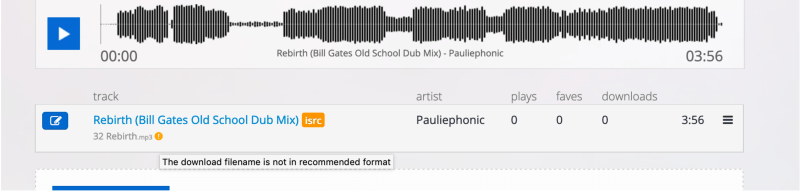
When you have uploaded your audio, wait until processing is complete and if you see a warning symbol underneath the track name, click on the blue pencil to access the new editing screen.
Here you can edit the meta-data fields for Title and Artist, but now you can also rename the file to match the meta-data.
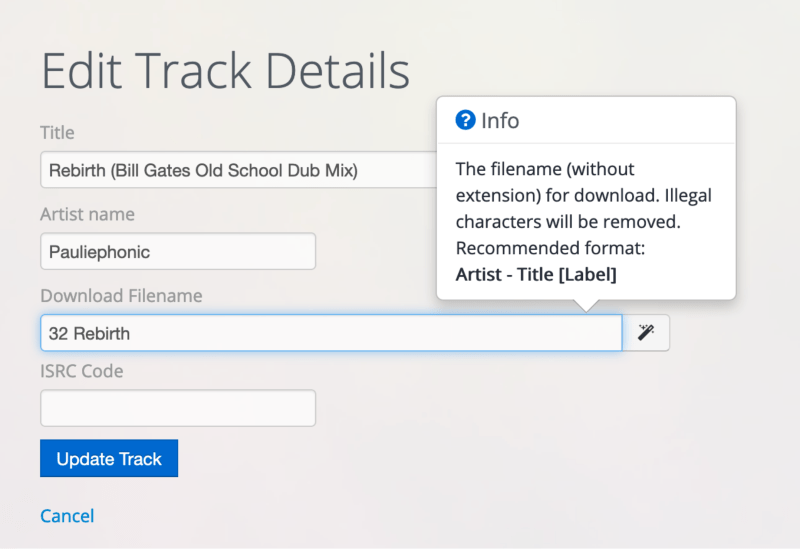
You can edit the data manually, or click the magic wand to automatically add the artist, title and label data from the populated fields. Inflyte will also remove any illegal characters that are not compatible for file delivery.
Important: Your filename should resemble the format in the Download Filename field:

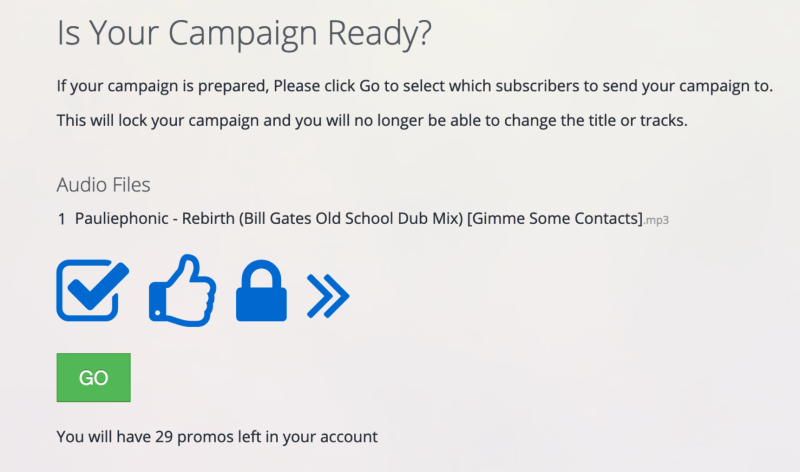
When you lock your campaign, Inflyte will now display a list of the audio filenames on the campaign for final review.