

Make sure you have downloaded and installed the rekordbox 7.0 application from the Pioneer DJ rekordbox website.
Open up Rekordbox on your desktop and navigate to Preferences.
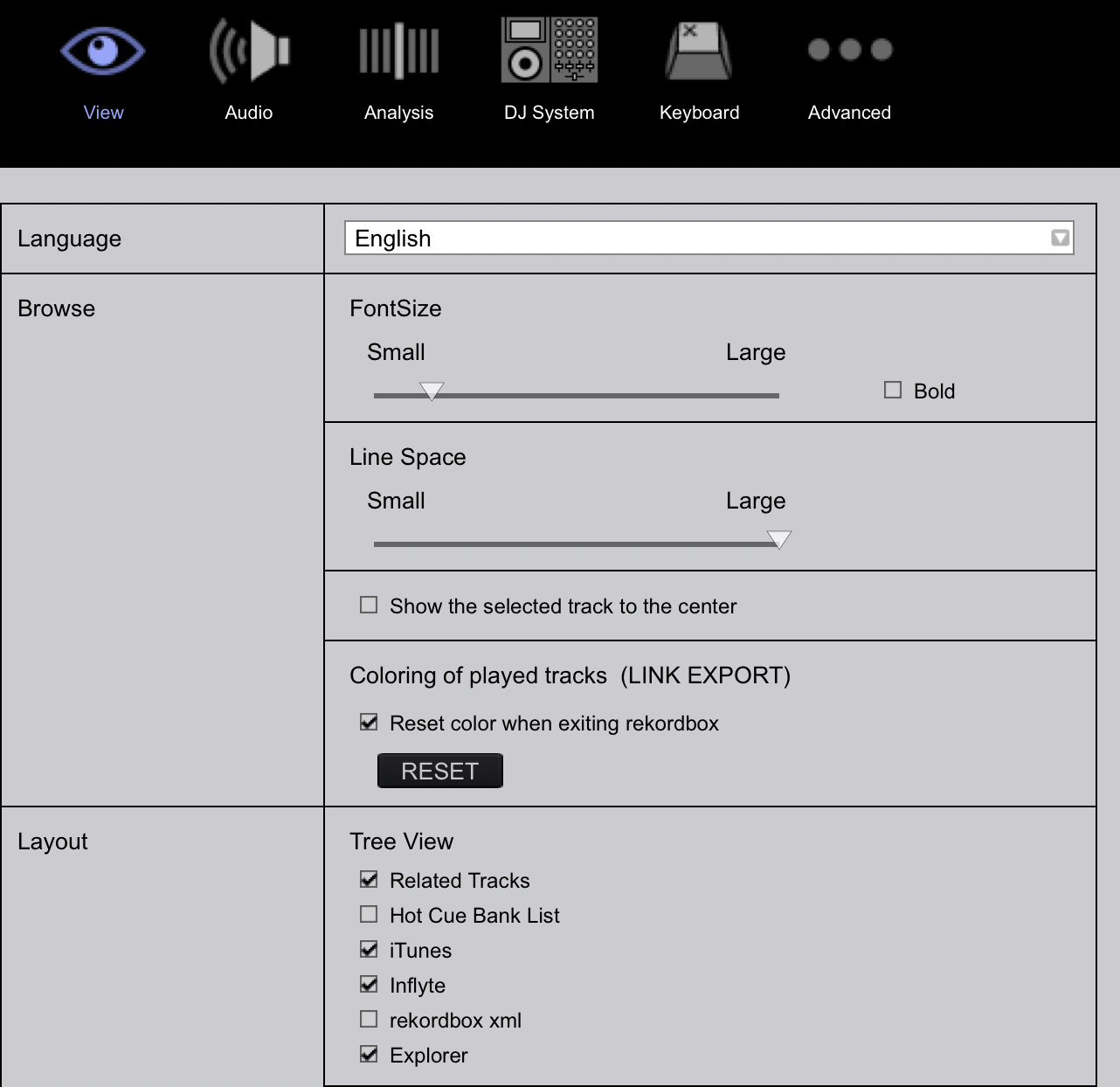
Click on View and select Inflyte from the Layout options, Tree View.
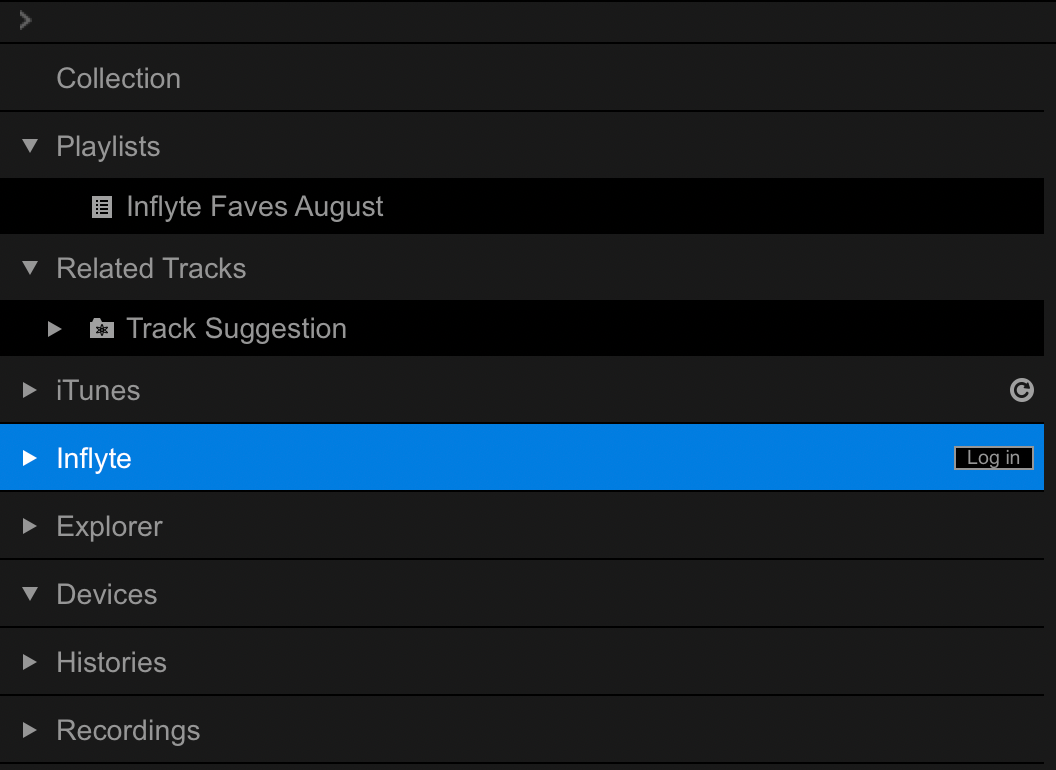
Inflyte will now appear as a sub-menu in your rekordbox sidebar:
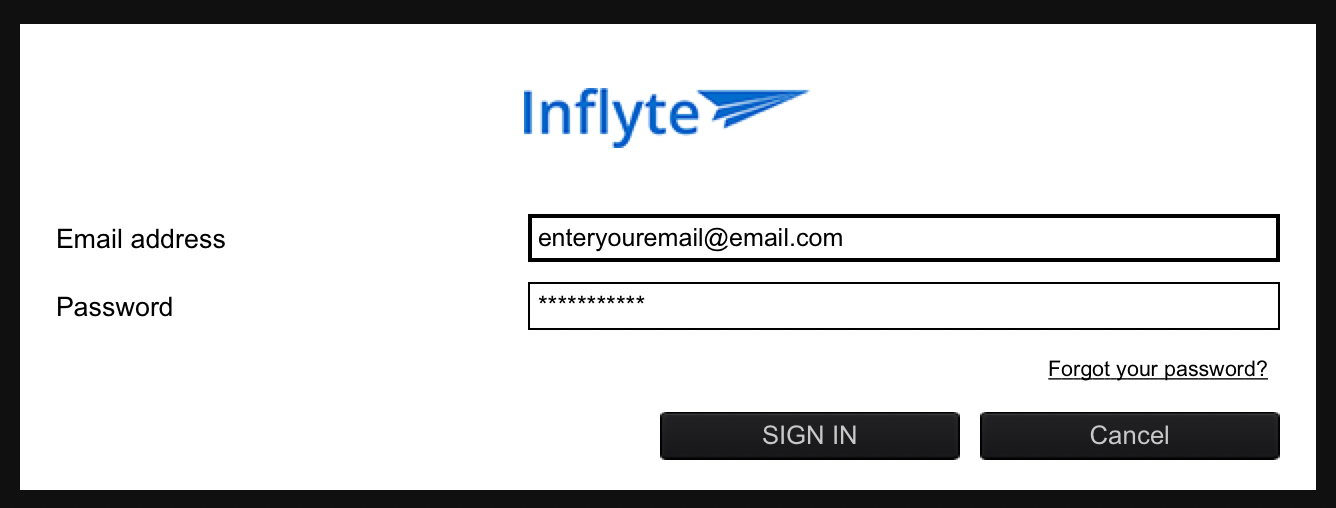
Click on the Login button and enter your Inflyte username and password into the pop-up window:
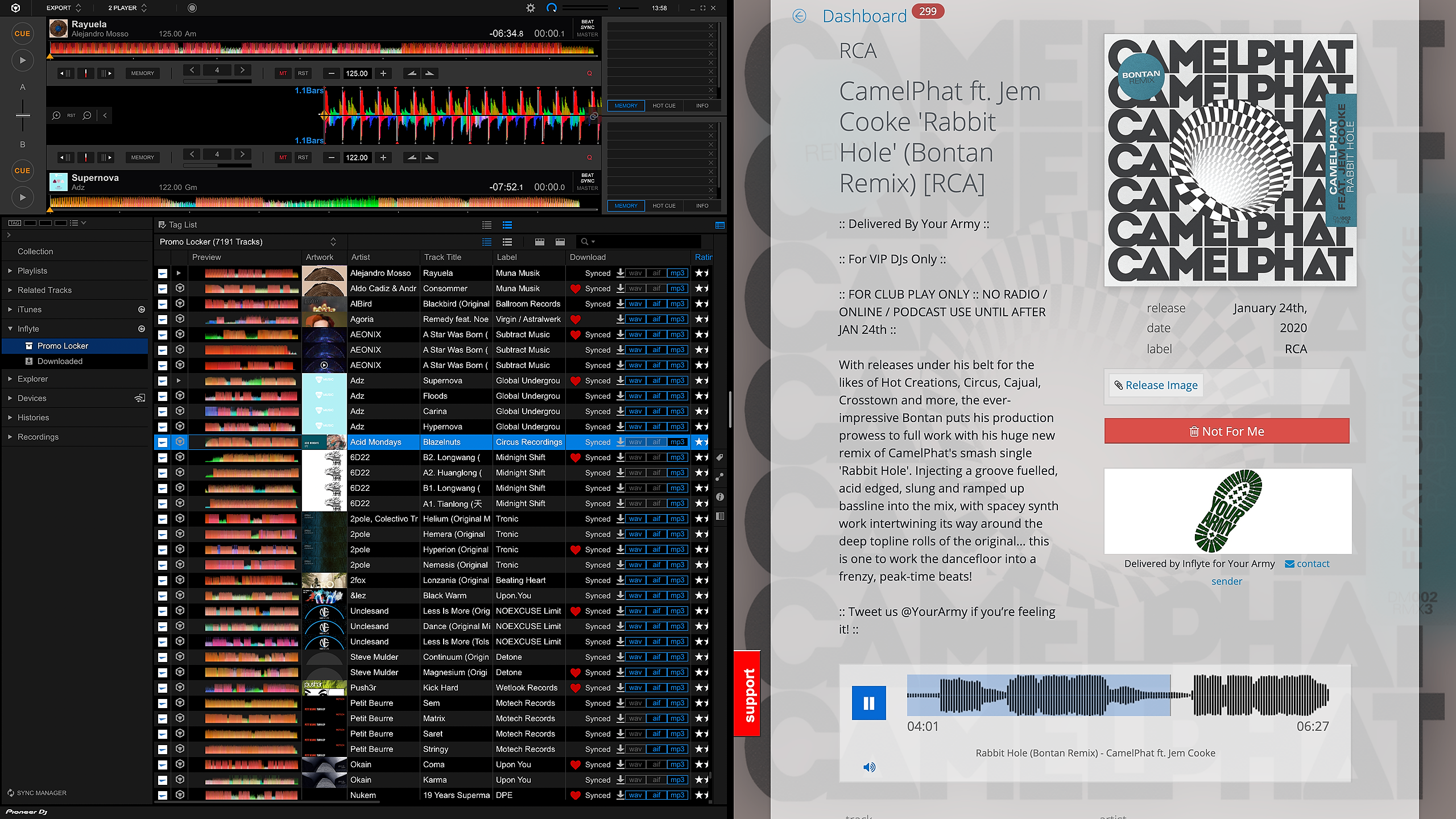
rekordbox will now provide access to your Inflyte Promo Locker and files that have been previously synced to your optional Inflyte Dropbox folder under the Downloaded sub-menu.

Inflyte Promo Locker is an archive of all the promos you have rated on Inflyte in the past. These promos can now be downloaded directly into the rekordbox application. Any time you rate a new promo on Inflyte, the promo will be available in rekordbox for download under the Promo Locker sub-menu. Promo Locker also displays the track you favourited, the rating you gave the promo on Inflyte and the feedback you left for the label (in the comments field)

The Downloaded sub-menu automatically syncs with your (optional) Inflyte Dropbox folder. Promos synced from Inflyte to Dropbox will appear in this sub-menu automatically.

Utilise tiled-view (Mac only) on your Desktop top for a super convenient workflow
Tips:
Inflyte's iOS and Android mobile applications can also now deliver rated promos from Inflyte directly in the Promo Locker on your rekordbox account.
Click the reload icon on the Inflyte sub-menu to update your rekordbox with the latest rated promos.
Feedback you leave on Inflyte will be displayed in the comments field of your rekordbox along with the star rating and track you favourited on every promo.
rekordbox subscription is not required to connect your Inflyte account.